Connect integrations using API Key
Last updated 3 months ago
Overview
Route One ELD integrates with several third-party platforms to give you more visibility and control over your fleet operations. Your API key is what connects your Route One ELD account to those platforms.
Available integrations by plan:
To access Basic ELD integrations, you'll need to upgrade your plan. See Pricing and plans.
Copy your API key
Your API key is generated automatically when your account is created — no setup required.
In the Fleet Portal, select API Key from the sidebar menu.
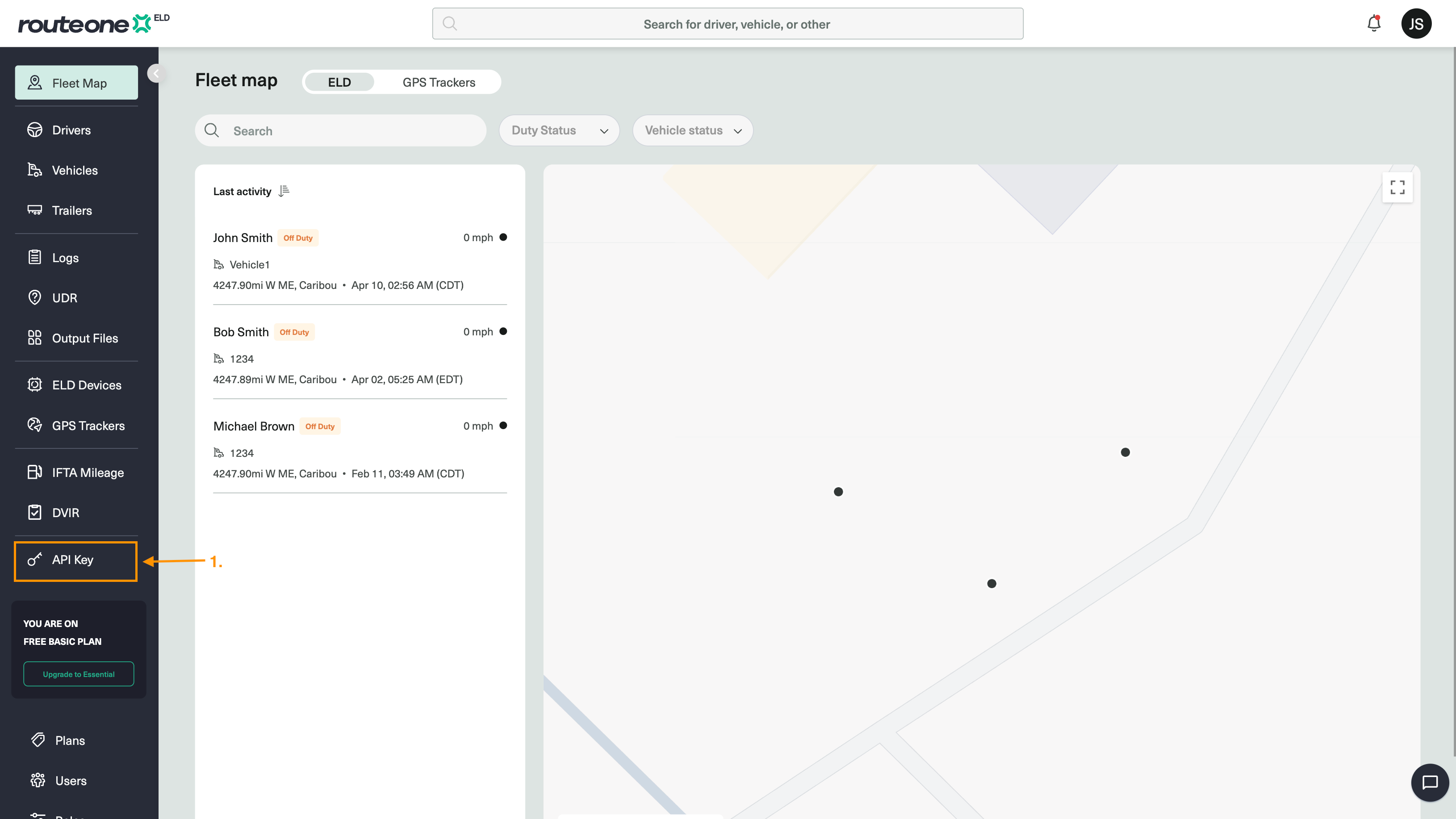
Click the Copy icon next to your token to copy it to your clipboard.
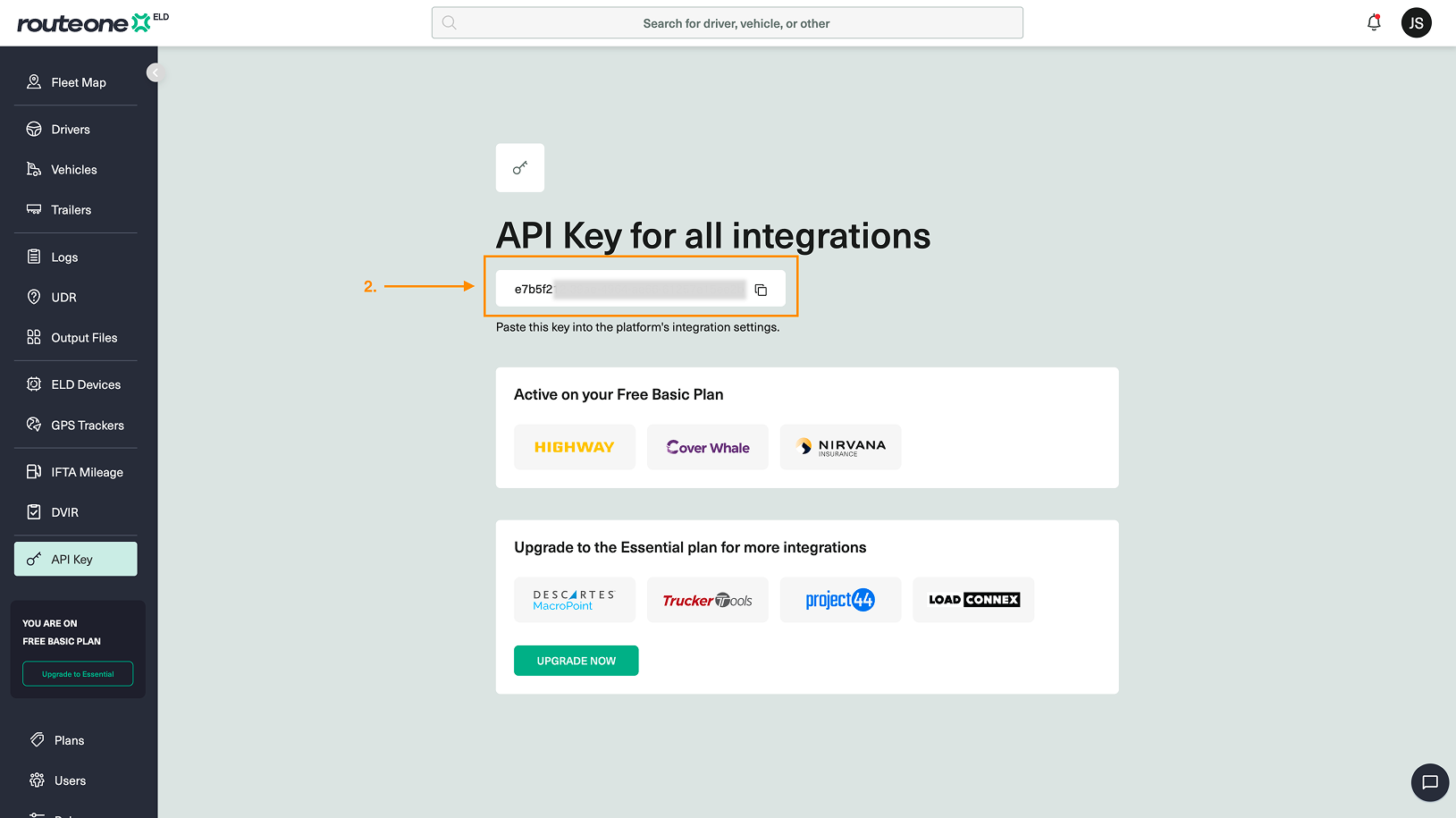
Paste the token into the third-party platform you want to connect. Not sure where to paste it? See Integration guides below.
Integration guides
Each integration has its own setup process. On the API Key page, click the logo of the platform you want to connect — you'll find step-by-step instructions on where to paste your token and how to complete the setup.
If you run into issues connecting to a platform, contact our customer support.