IFTA Mileage report
Last updated 4 months ago
Overview
The IFTA Mileage report gives you a breakdown of miles driven per jurisdiction and vehicle, organized to meet International Fuel Tax Agreement (IFTA) reporting requirements.
Route One ELD collects IFTA miles automatically using your ELD hardware via the ECU. GPS signal is used as a fallback when ECU data is unavailable.
To ensure accurate mileage data:
ELD hardware must be properly installed in the vehicle
The Driver App must be active on screen
Bluetooth and mobile data must be enabled on the driver's device
Note
Mileage is collected on all plans, including Free. However, generating the IFTA report requires the Basic ELD plan. See our Pricing and plans.
Generate a report
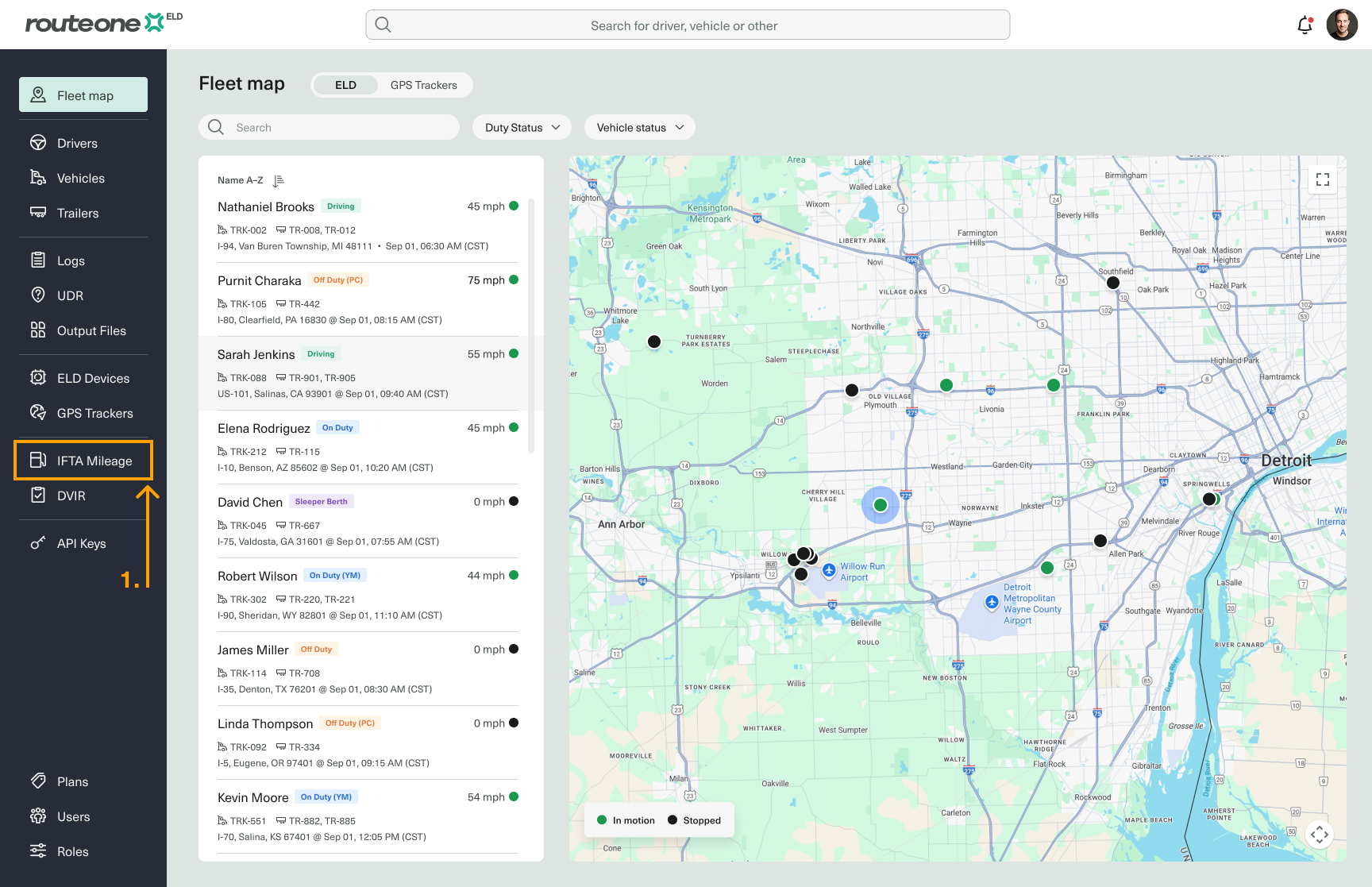
In the Fleet Portal, select IFTA Mileage from the sidebar menu.
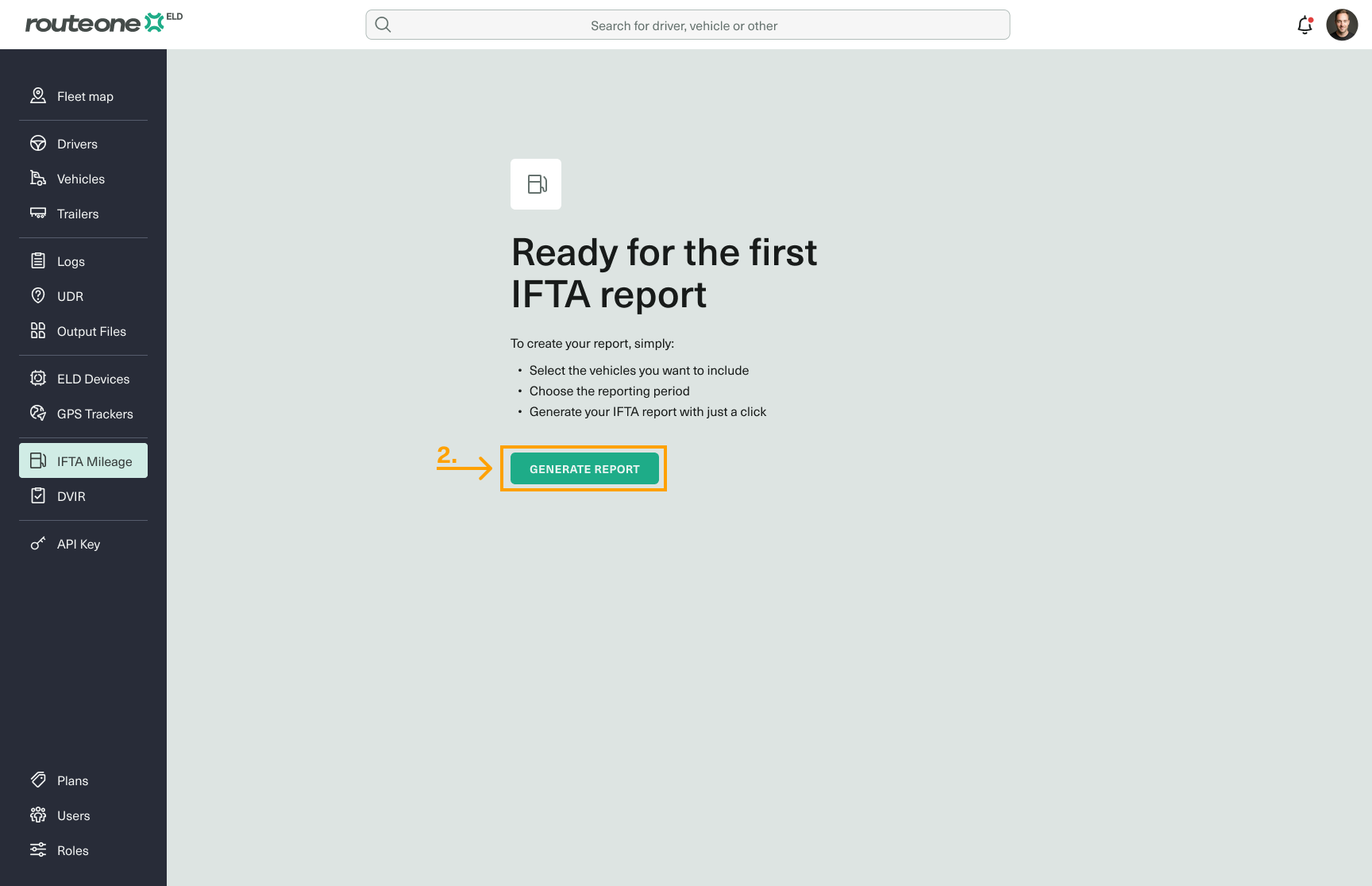
Click Generate Report.
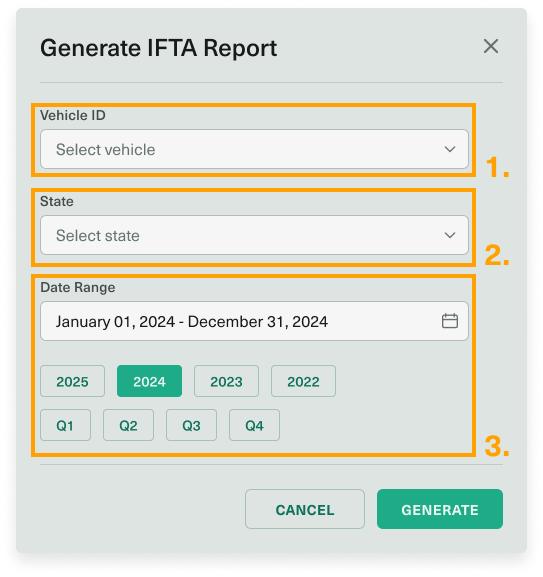
In the dialog that opens, configure your report:
Vehicle — select one or all vehicles
States/Jurisdictions — select the relevant states
Period — choose a custom date range or select from preset options (e.g. Q1, Q2)
Click Generate.
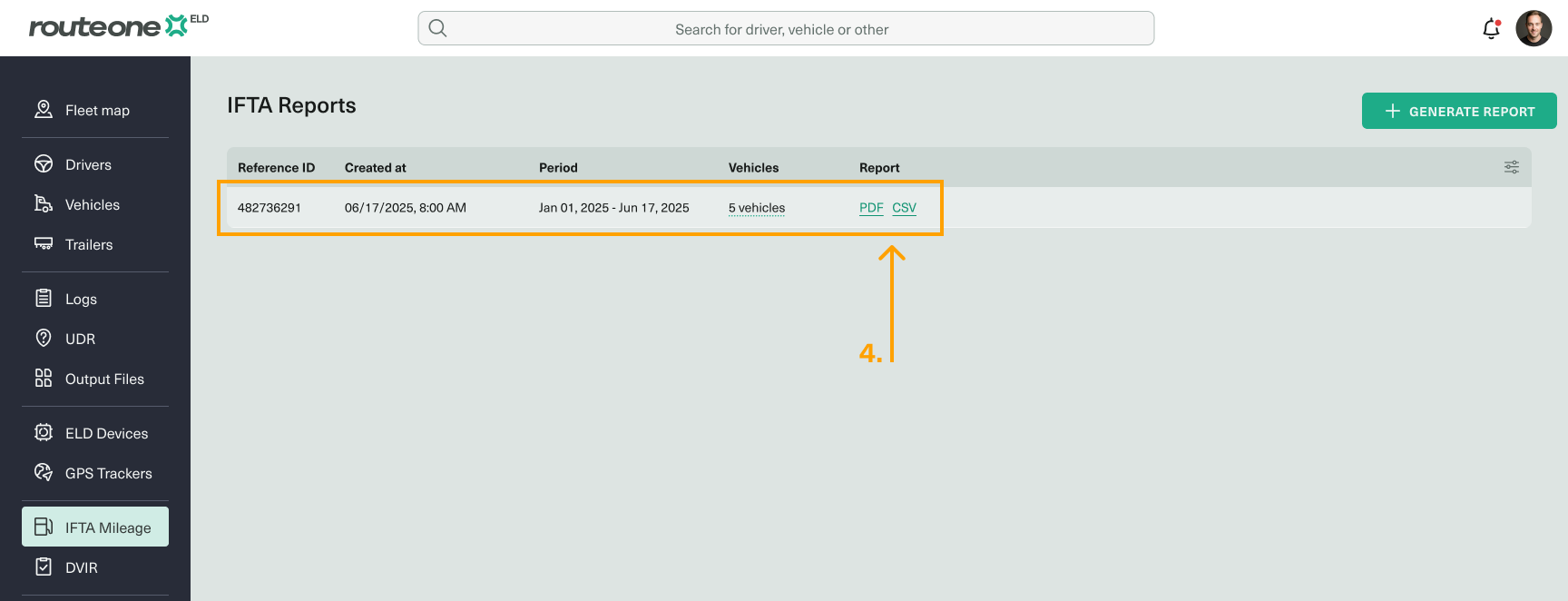
Once generated, the report appears in the table below. Select your preferred format and click it to download.
If you run into issues generating the report, contact our customer support.