Monitor Engine Fault Codes
Last updated 23 days ago
A check-engine light tells your driver something's wrong; Fault codes tells you what. It reads the engine trouble codes straight off each truck's ECU through the connected telematics device, ranks them by how serious they are, and keeps the history — so a recurring fault is easy to spot and act on before it becomes a breakdown.
Reading the Fault Codes List
Each row shows:
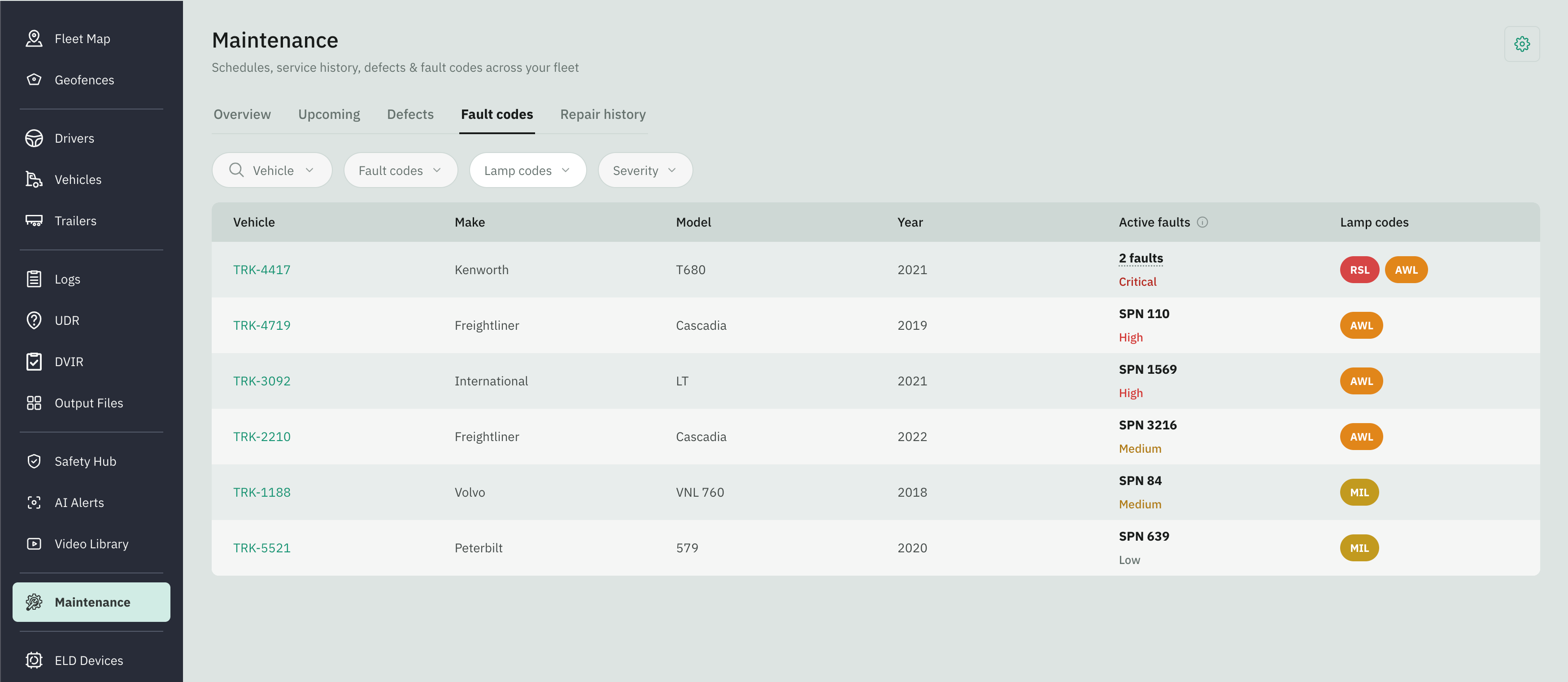
Looking at Truck’s Faults
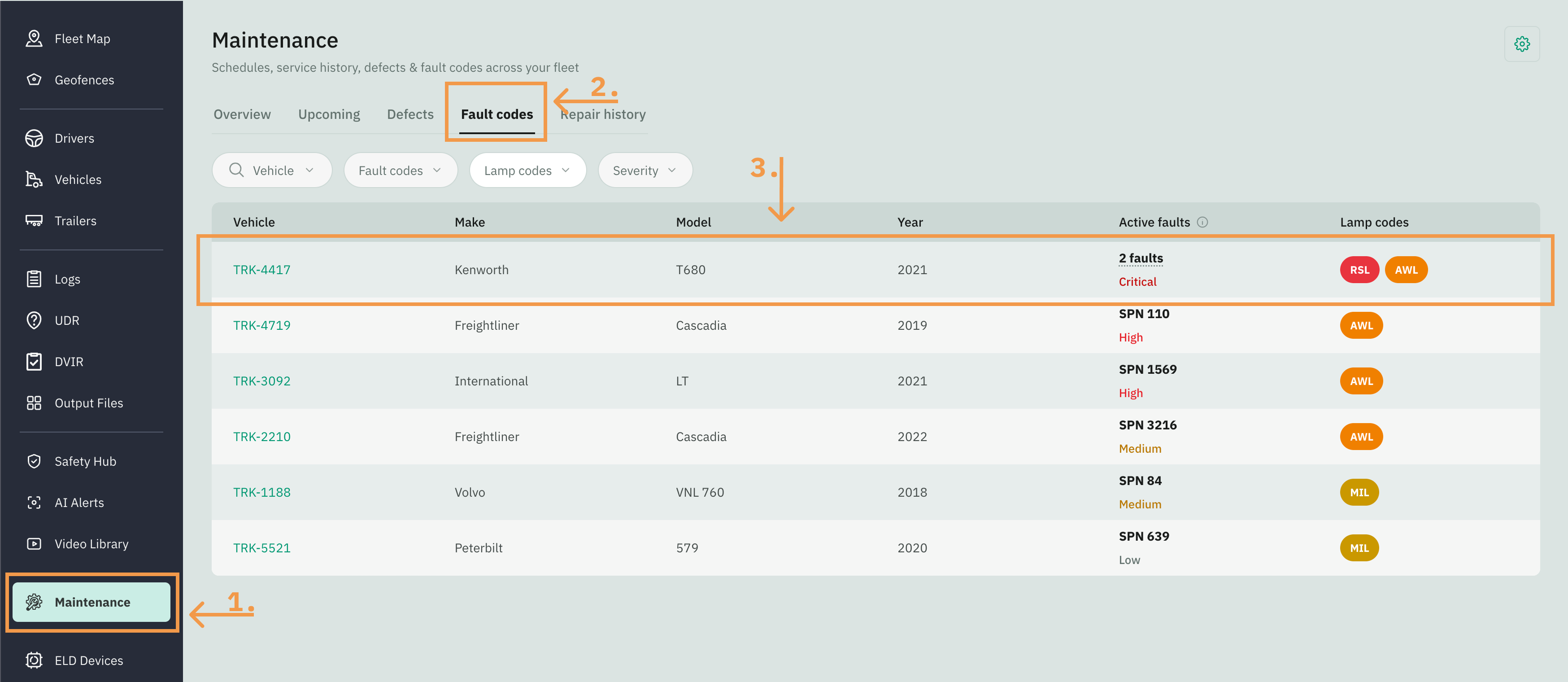
Go to Fleet Portal and click on the Maintenance tab from the sidebar menu
Select the Fault Codes tab
Click a row to open that truck’s defect page.
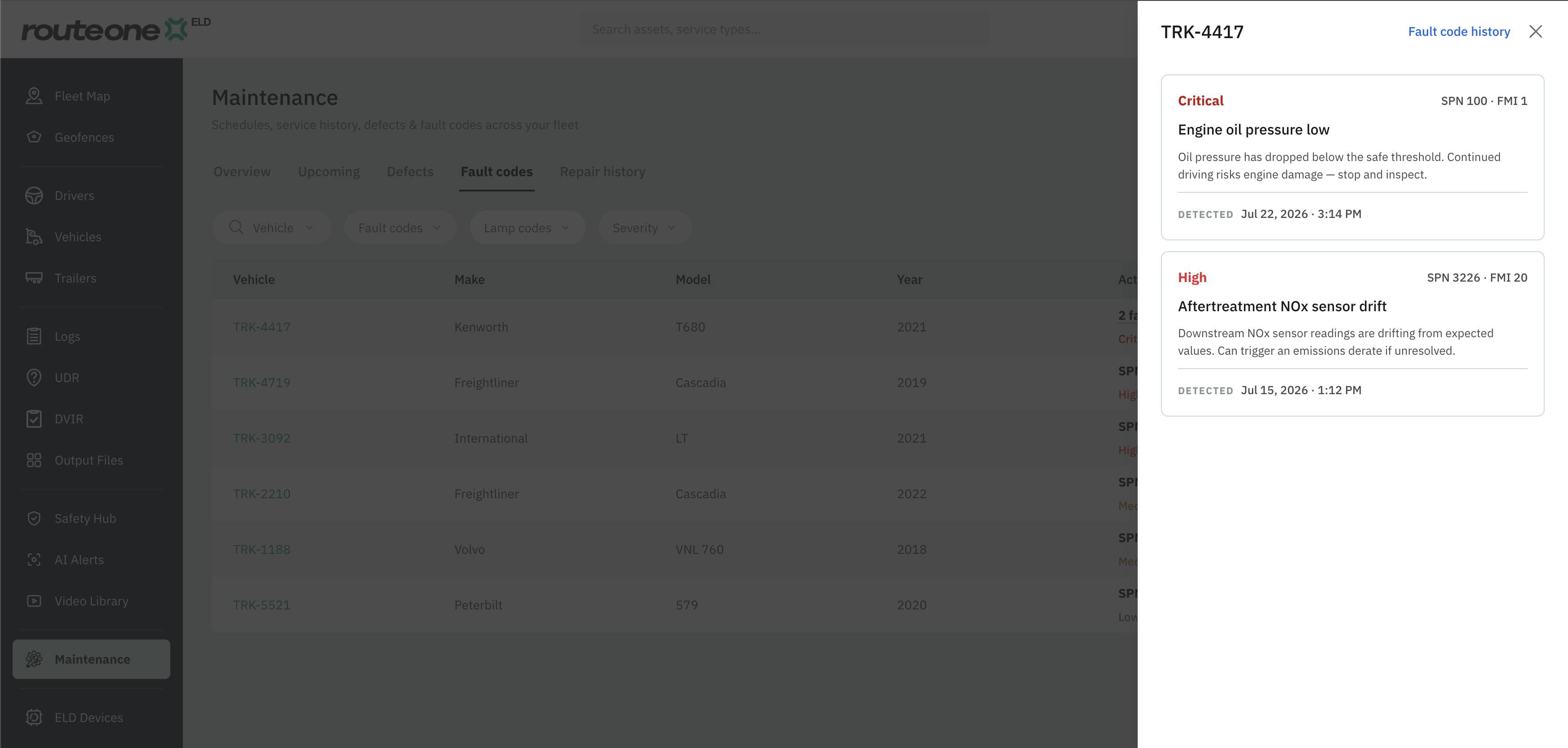
A side panel listing every active fault on that truck, most serious first. Each fault card gives you:
The severity and the code · FMI (like SPN 100 · FMI 1).
The fault name (like "Engine oil pressure low").
A short description of what the fault means and what to do about it.
When it was detected — date and time.
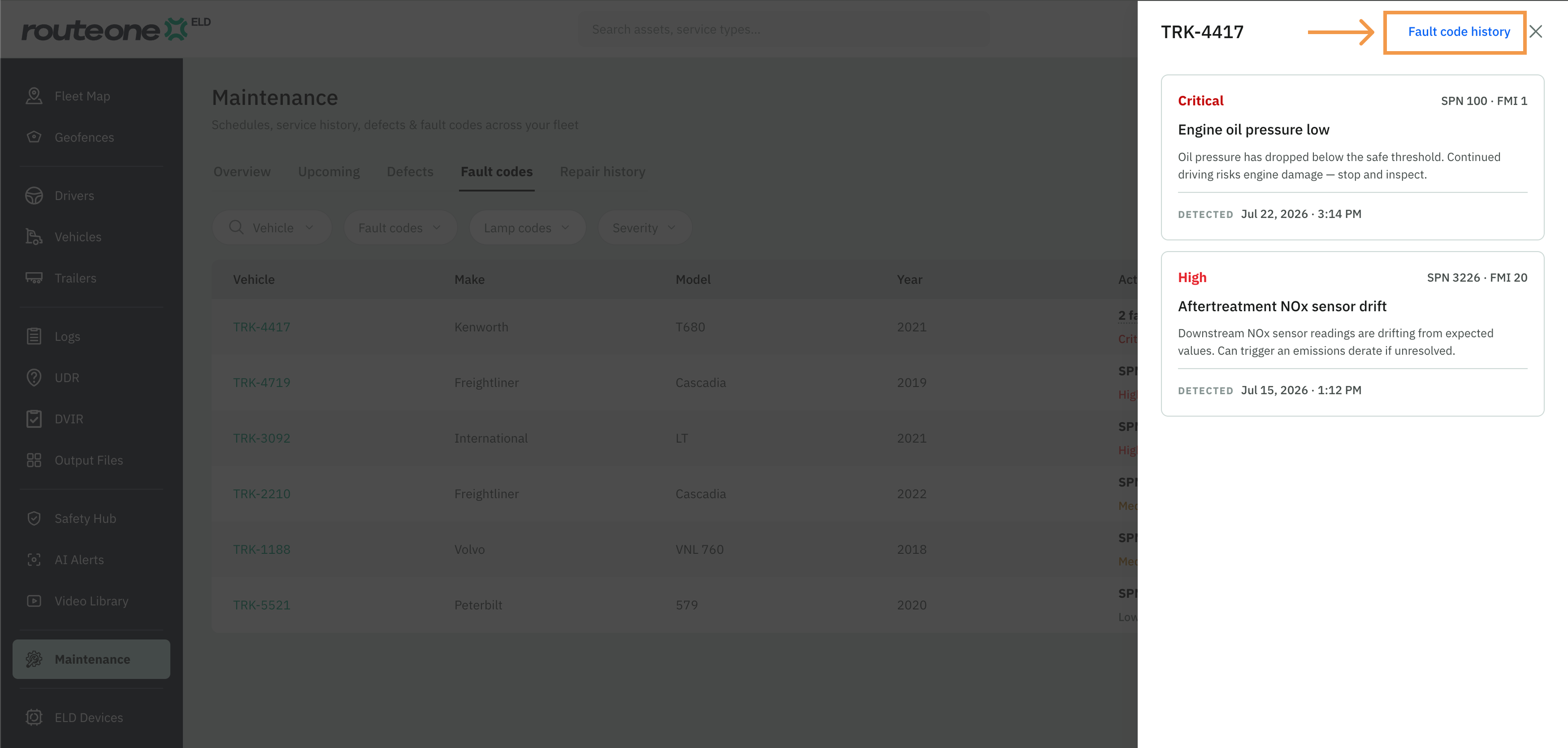
Fault Code History
Go to Fleet Portal and click on the Maintenance tab from the sidebar menu
Select the Fault Codes tab
Click a row to open that truck’s defect page.
A side panel listing every active fault on that truck, most serious first. Each fault gives you the severity, the code and FMI, the fault name, a short note on what it means and what to do about it, and when it was detected. From the fault detail panel, click on the Fault code history link
A full page displays every fault the truck has ever reported, including both active and resolved issues, for the entire retention period.
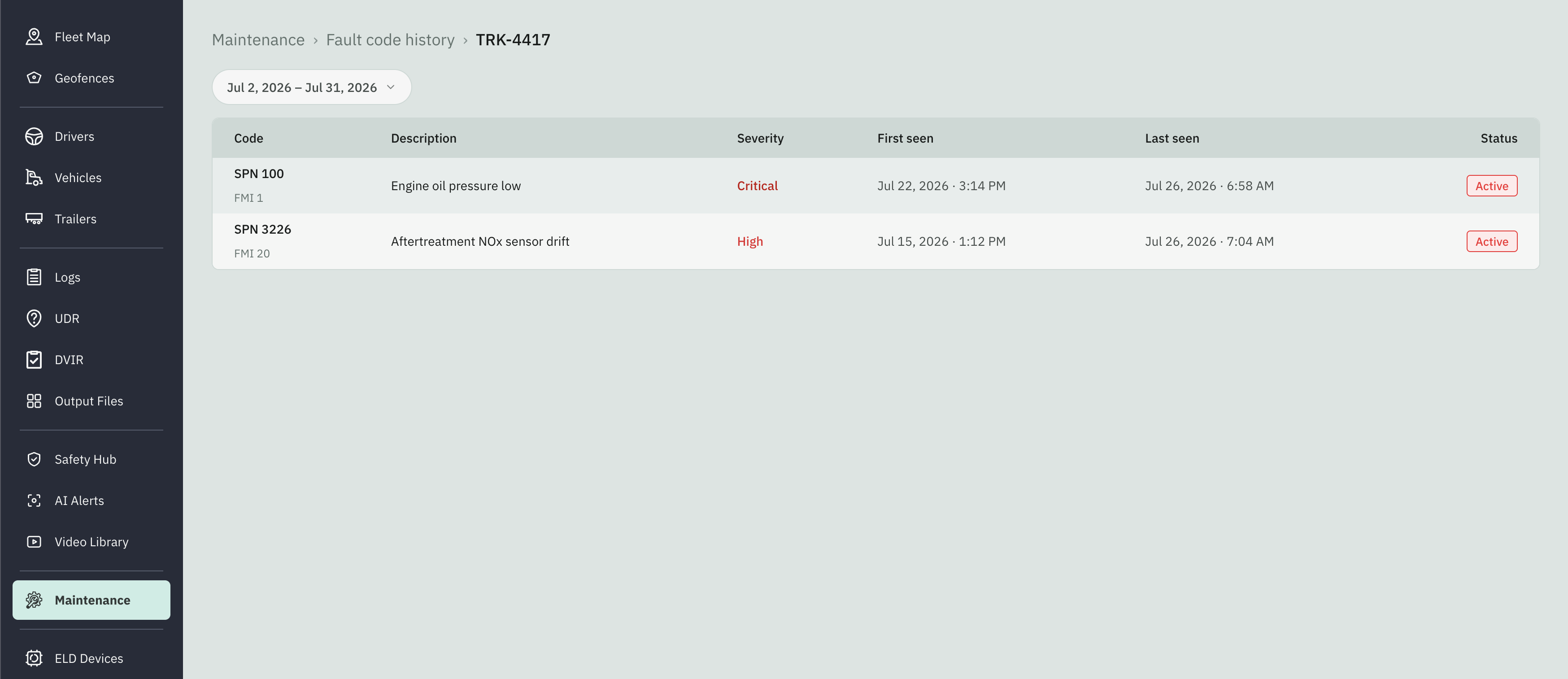
This is a complete log, not a tidy list of distinct codes. The same code can appear many times: an intermittent fault that sets, clears, and sets again shows a separate row for each occurrence, so you can tell a recurring problem from a one-off.