Geofences & Alerts
Last updated About 2 months ago
Overview
Geofences are virtual boundaries you draw around your key locations — yards, customer sites, terminals, fuel stops — to monitor arrivals, departures, and detention time. When a vehicle enters or leaves a boundary, the selected users receive an alert.
Geofences can be tracked by ELD devices and/or GPS Trackers, depending on which devices your drivers are using.
Create a geofence
Setting up a geofence takes two steps: fill in the details — what to call it, which devices to track, and who gets notified — then draw the boundary on the map. Here's how:
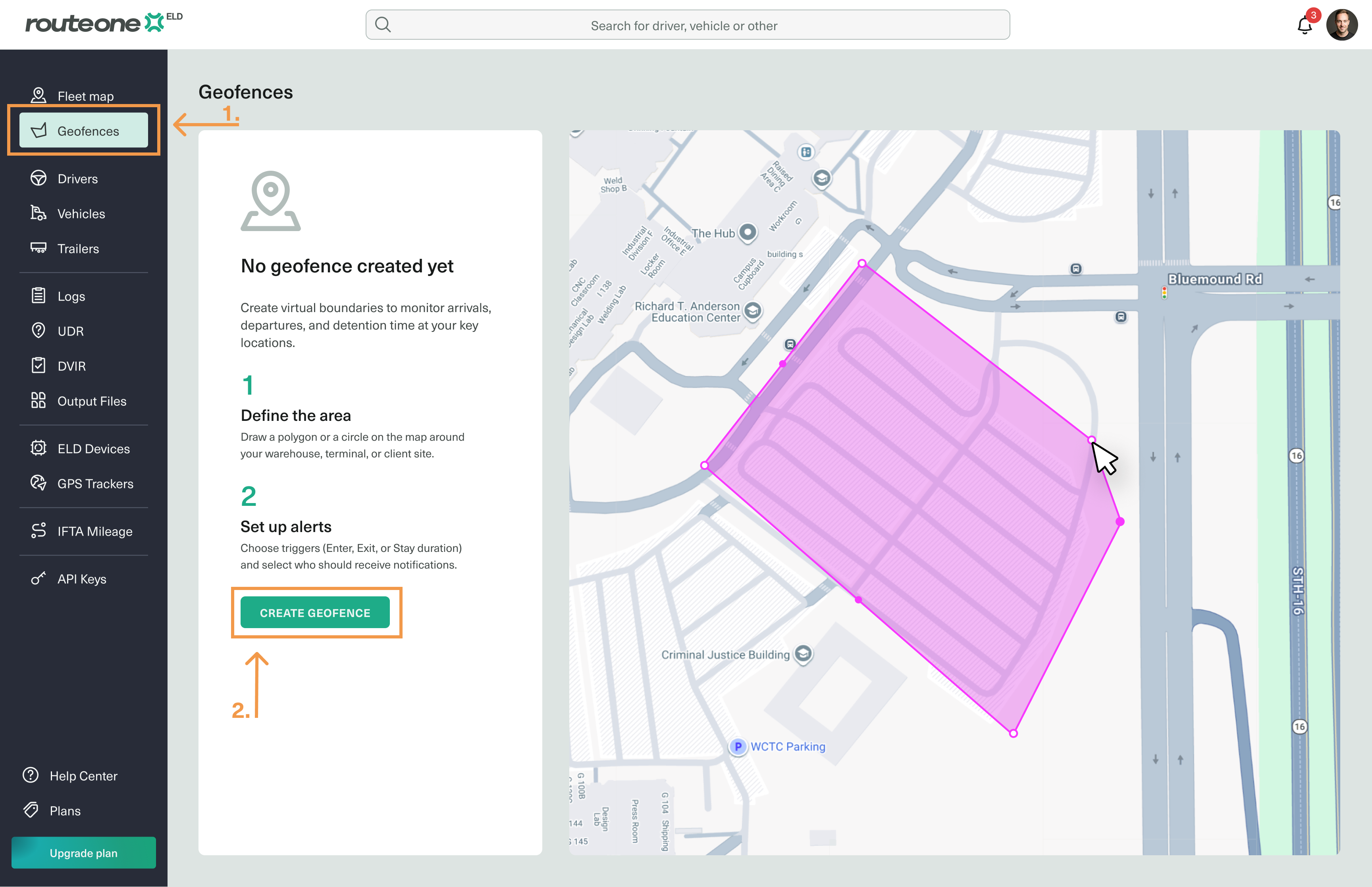
Open the Geofences tab from the sidebar menu.
Click Create geofence.
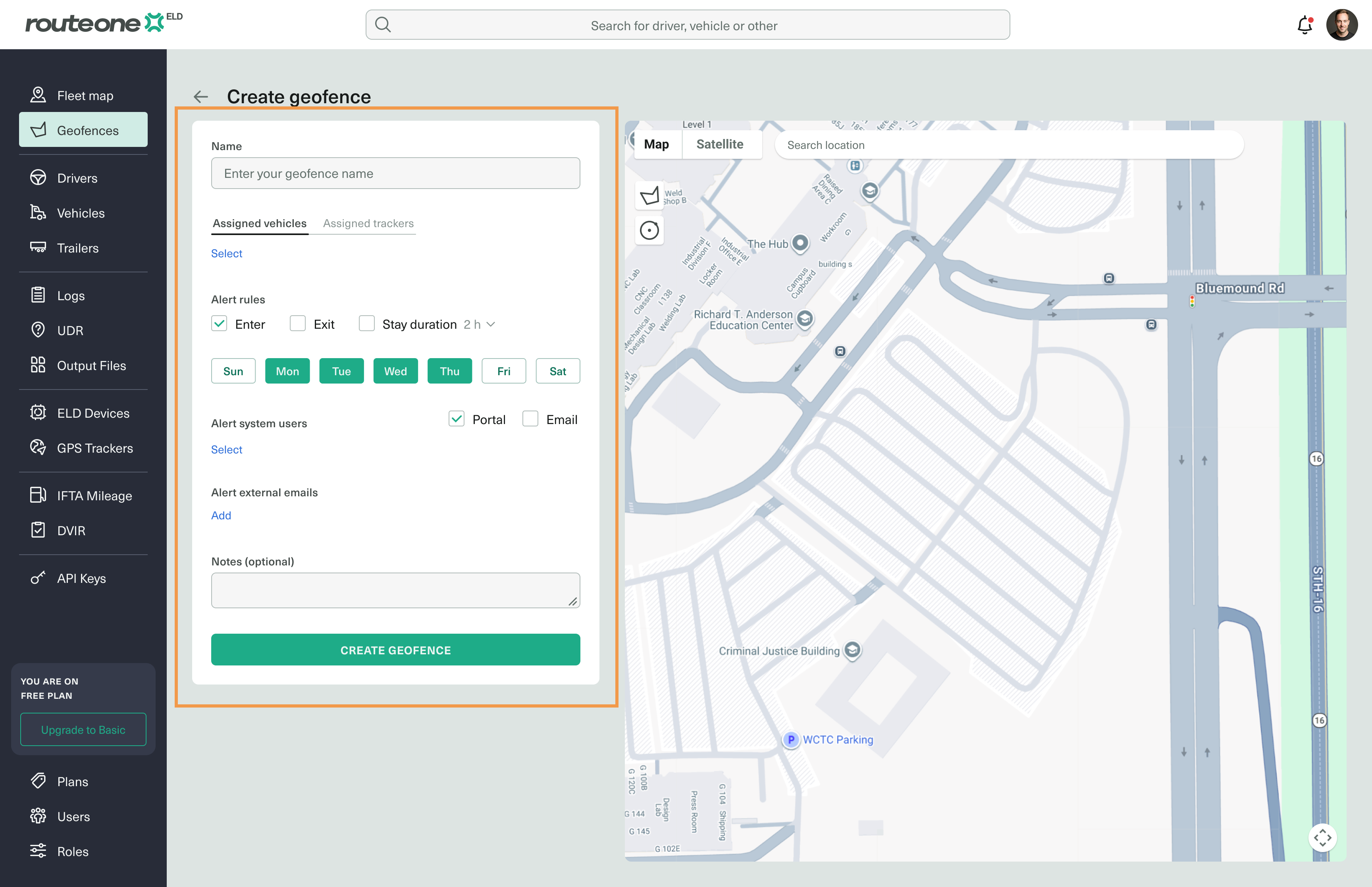
Complete the form in the first section:
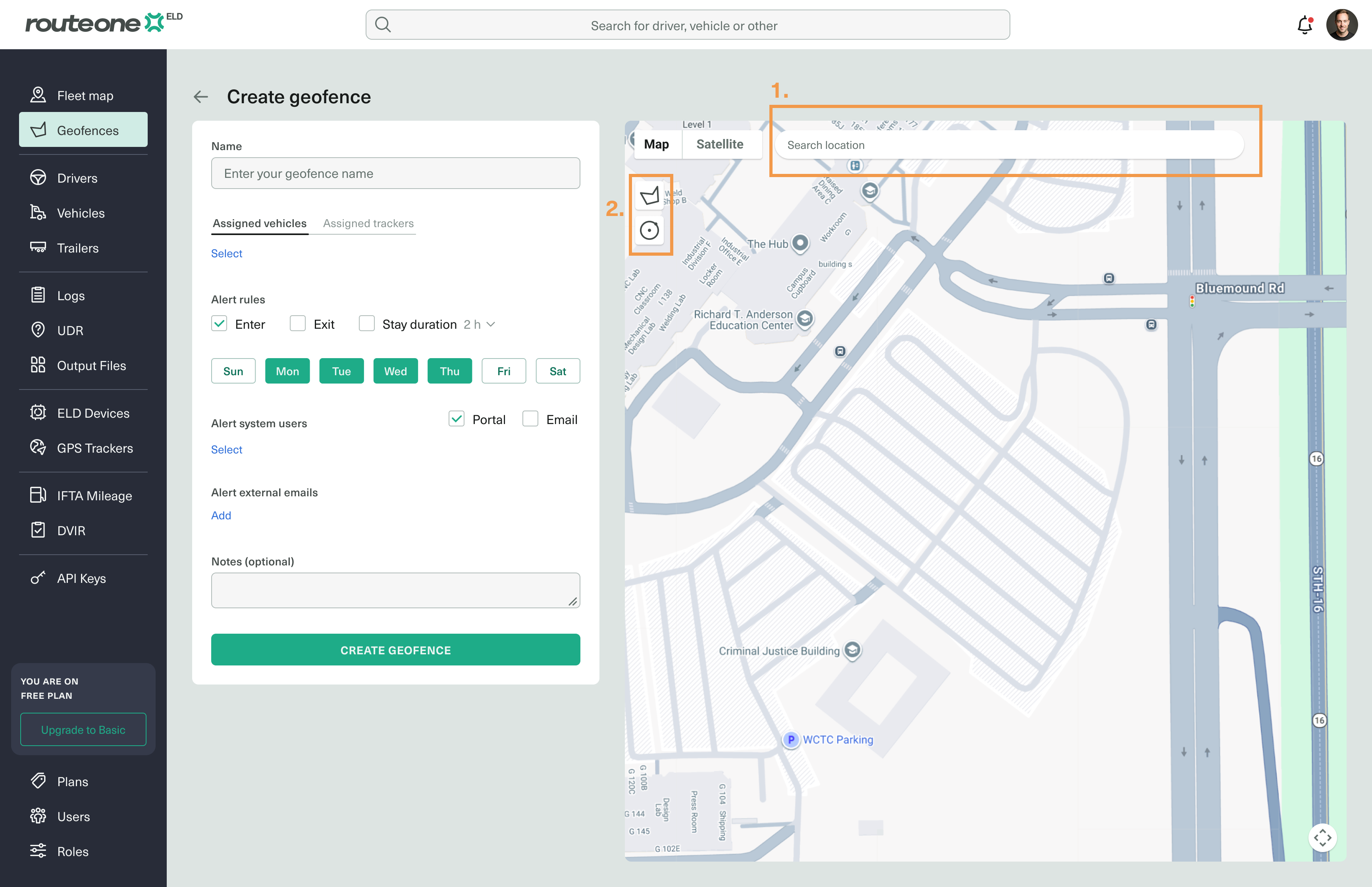
Search for the location where you want to draw the boundary.
Choose a shape and place it on the location.
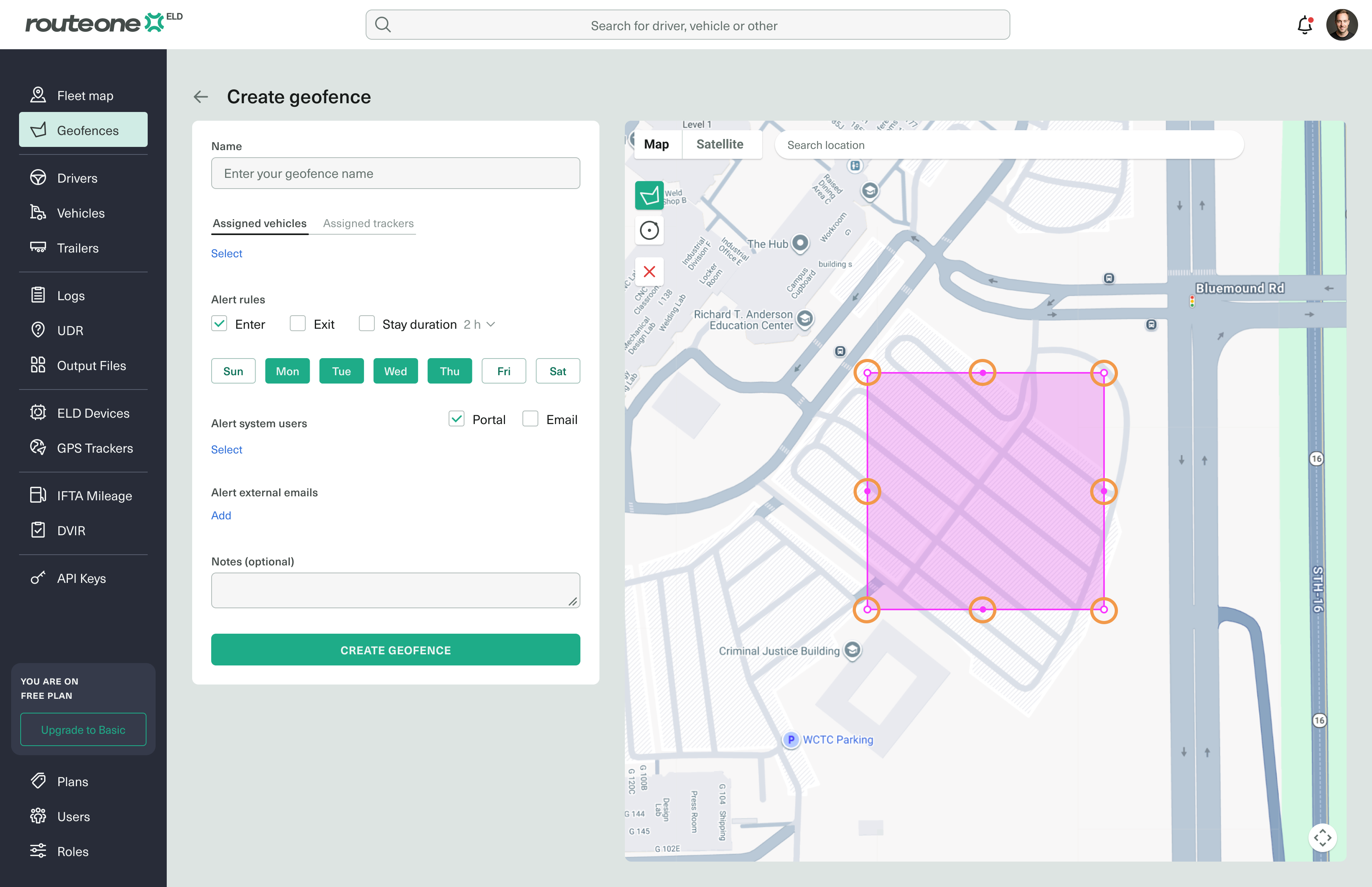
Adjust the boundary by dragging its edges to fit the area.
Once done, click Create geofence.
Your geofence is now active. Vehicles assigned to the selected device type will be monitored against this boundary, and recipients will be alerted based on the rules you set.