Recap hours
Last updated 4 months ago
There are two ways to get your hours back while driving under hours-of-service rules:
34-hour restart — Optional, but the most common. You take 34 hours off duty, which resets your full cycle (70 or 60 hours).
Recap — Your hours come back on their own as the days roll forward, with no restart needed.
What recap is?
Your cycle limit only counts the last 8 days (70-hour cycle) or last 7 days (60-hour cycle) — anything older drops off. When a day ends at midnight, the hours you worked (On Duty + Driving) 8 days ago drop off and are added back to your available time for the next day. Those returned hours are your recap.
This keeps you running without a 34-hour restart, as long as you still have hours left in your cycle. How much comes back each day depends on what you worked 8 days earlier — a short day returns fewer hours, a long day returns more.
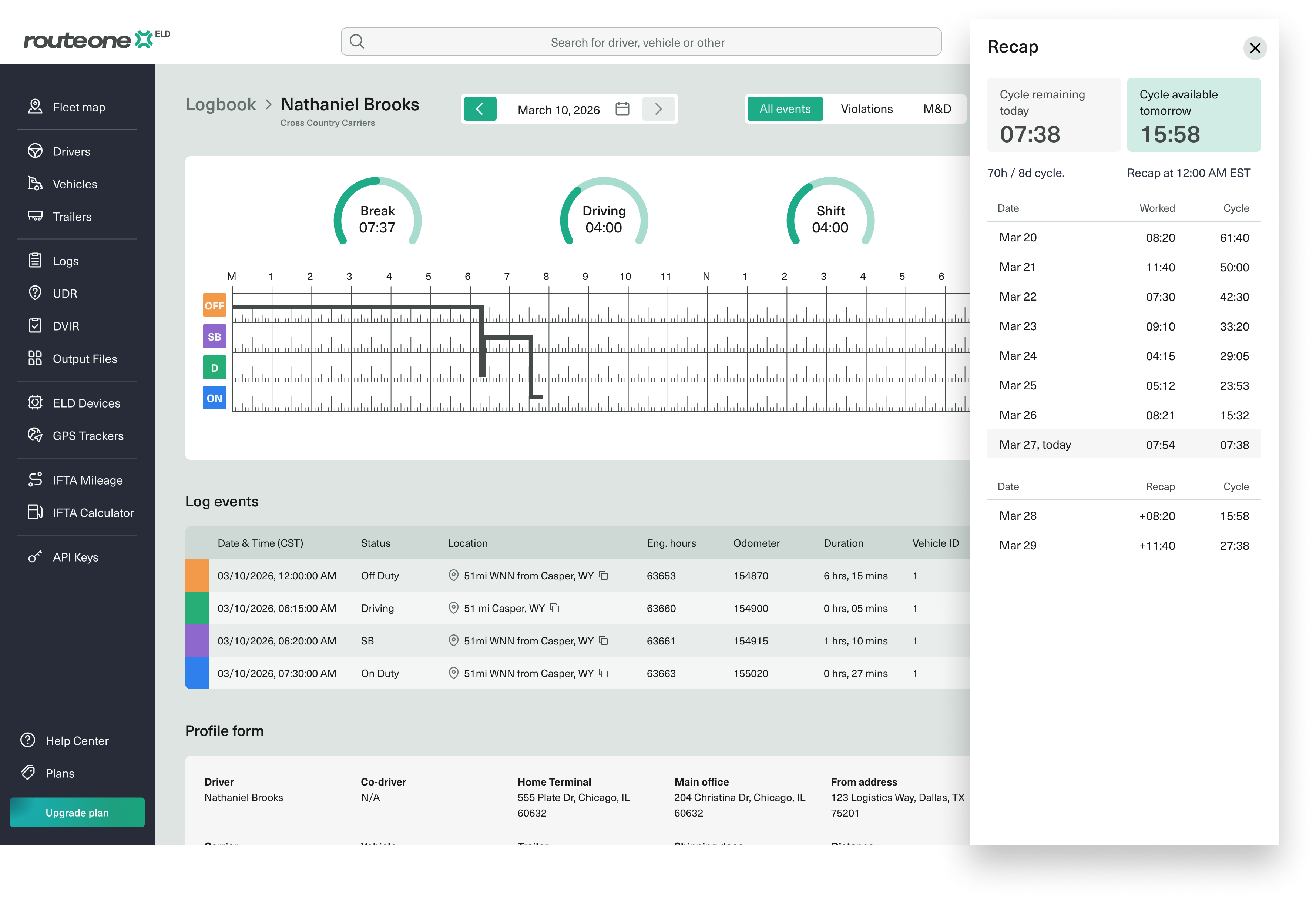
The recap page breaks down a driver's cycle hours into these fields:
Recap in the Driver App
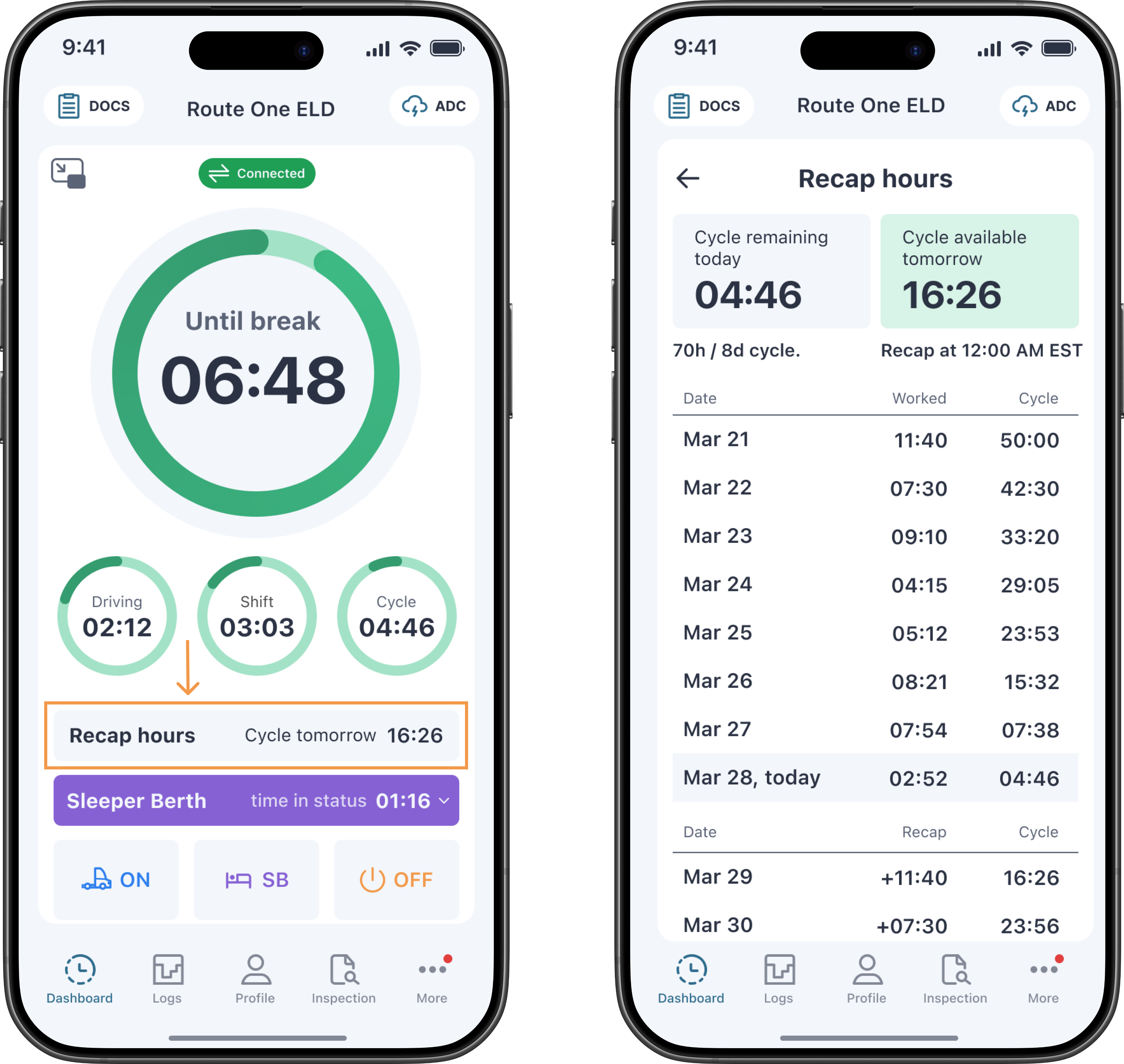
Recap hours appear on the dashboard in a short format. Tap the recap bar to open the full recap history table.
Example
You run a 70-hour / 8-day cycle, and today is March 28. By the end of the day you've used most of your hours — your Cycle remaining today is down to 04:46.
Your recent activity looks like this. Each row shows the hours you worked that day and the cycle hours you had left at the end of it.
With only 04:46 left, you couldn't do much tomorrow on these hours alone. This is where recap comes in.
At midnight (12:00 AM), your oldest day — March 21 — drops out of your 8-day window. The 11:40 you worked that day stops counting against your limit, so it's added back to your clock:
04:46 remaining + 11:40 recap = 16:26 available on March 29.
The next night, March 22 drops off and returns its 07:30:
16:26 + 07:30 = 23:56 available on March 30.
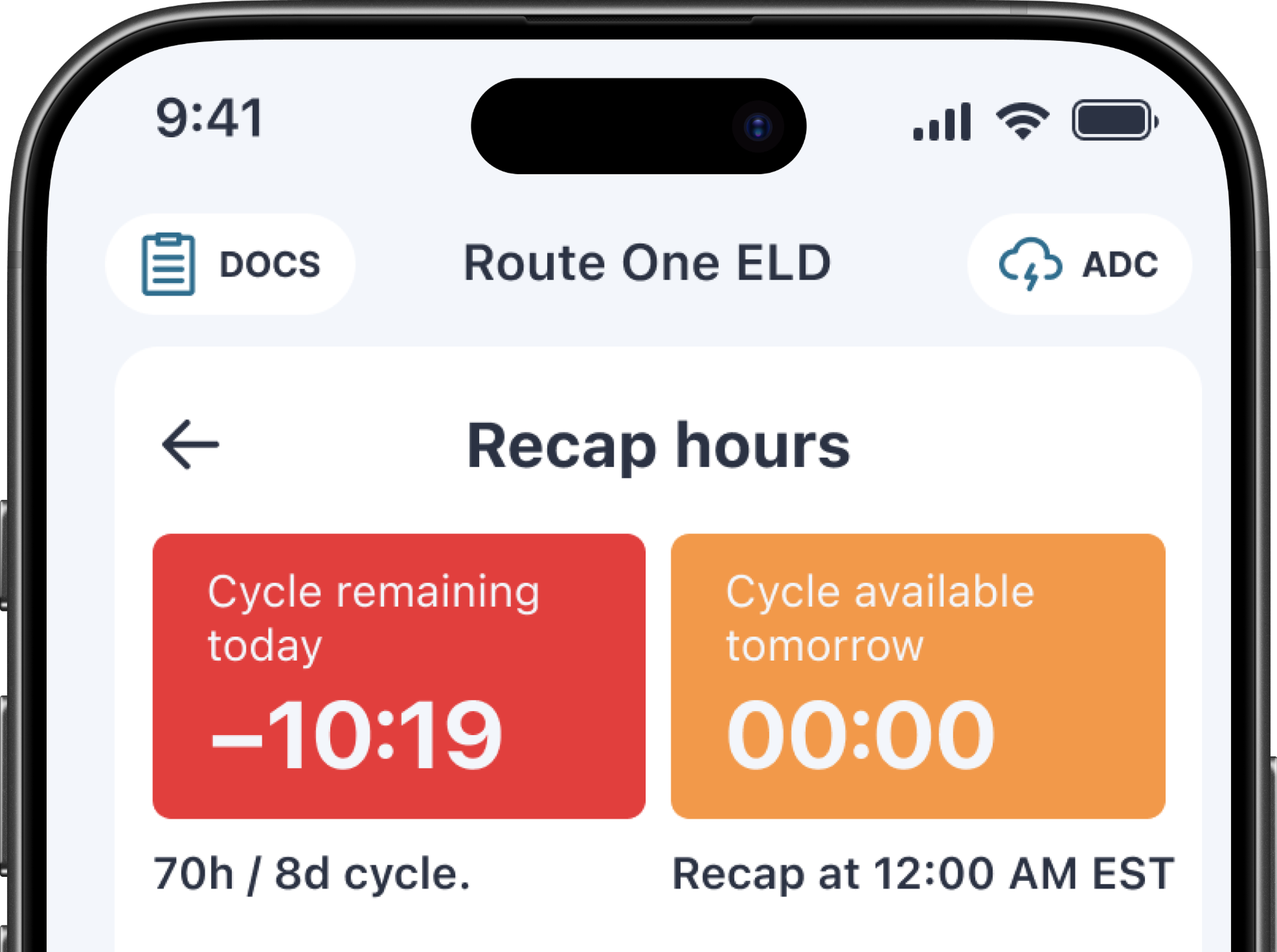
On the recap screen, your clocks turn orange when you hit 0:00 and red once you go in violation (past your limit).
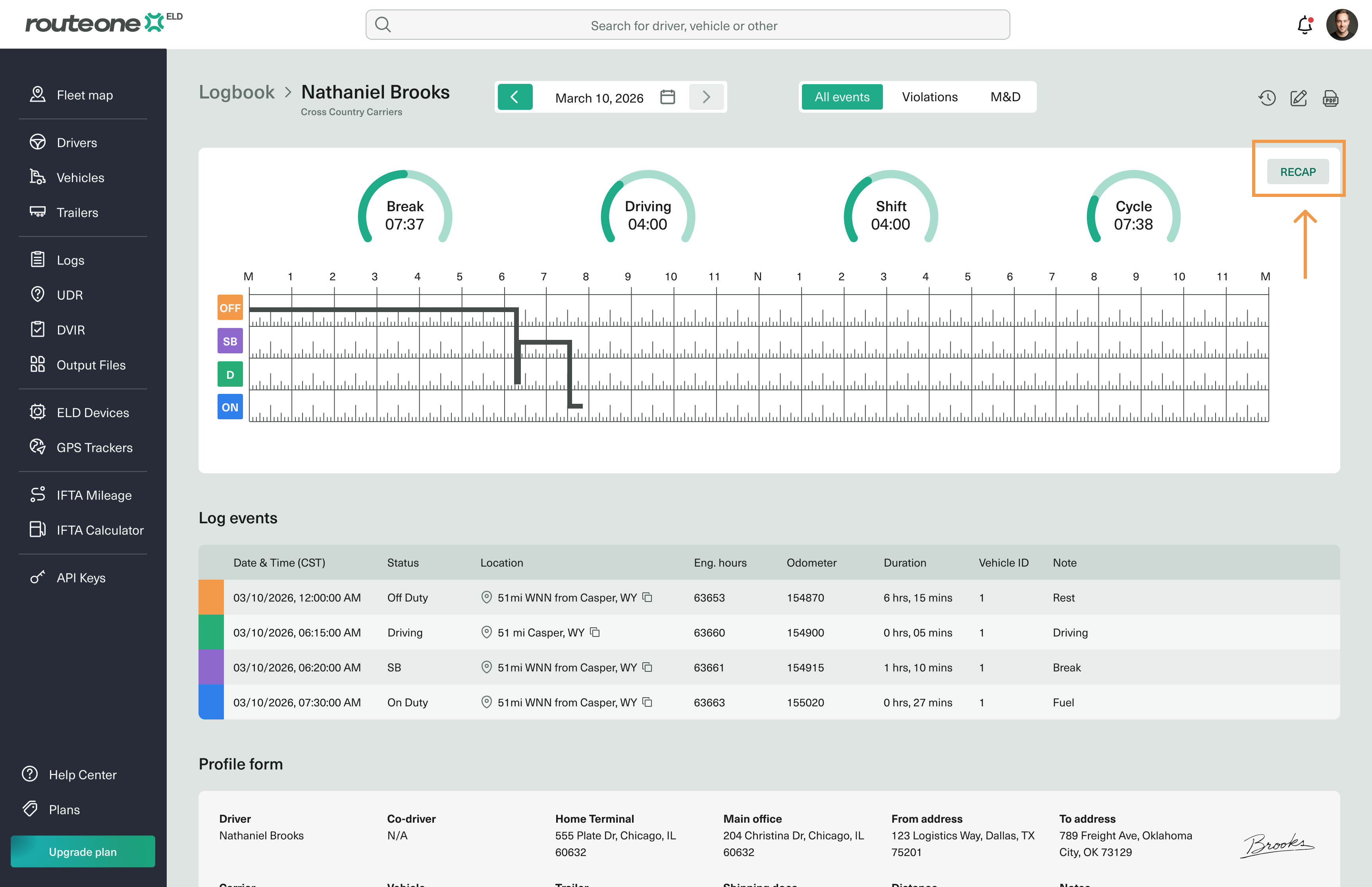
Recap in the Fleet Portal
Fleet admins can view a driver's recap to check how many hours that driver will have available over the coming days. To open it, go to the driver you need, open their current logbook day, and click the Recap button.