Share Live Location
Last updated 2 months ago
Overview
Share live location lets you generate a private link to an asset's real-time position, so brokers, customers, or partners can track a load without needing access to your account. Each link is tied to a load number, can include pickup and delivery details, and stays active for a duration you set. You can extend or disable a shared link at any time.
Share an asset’s live location
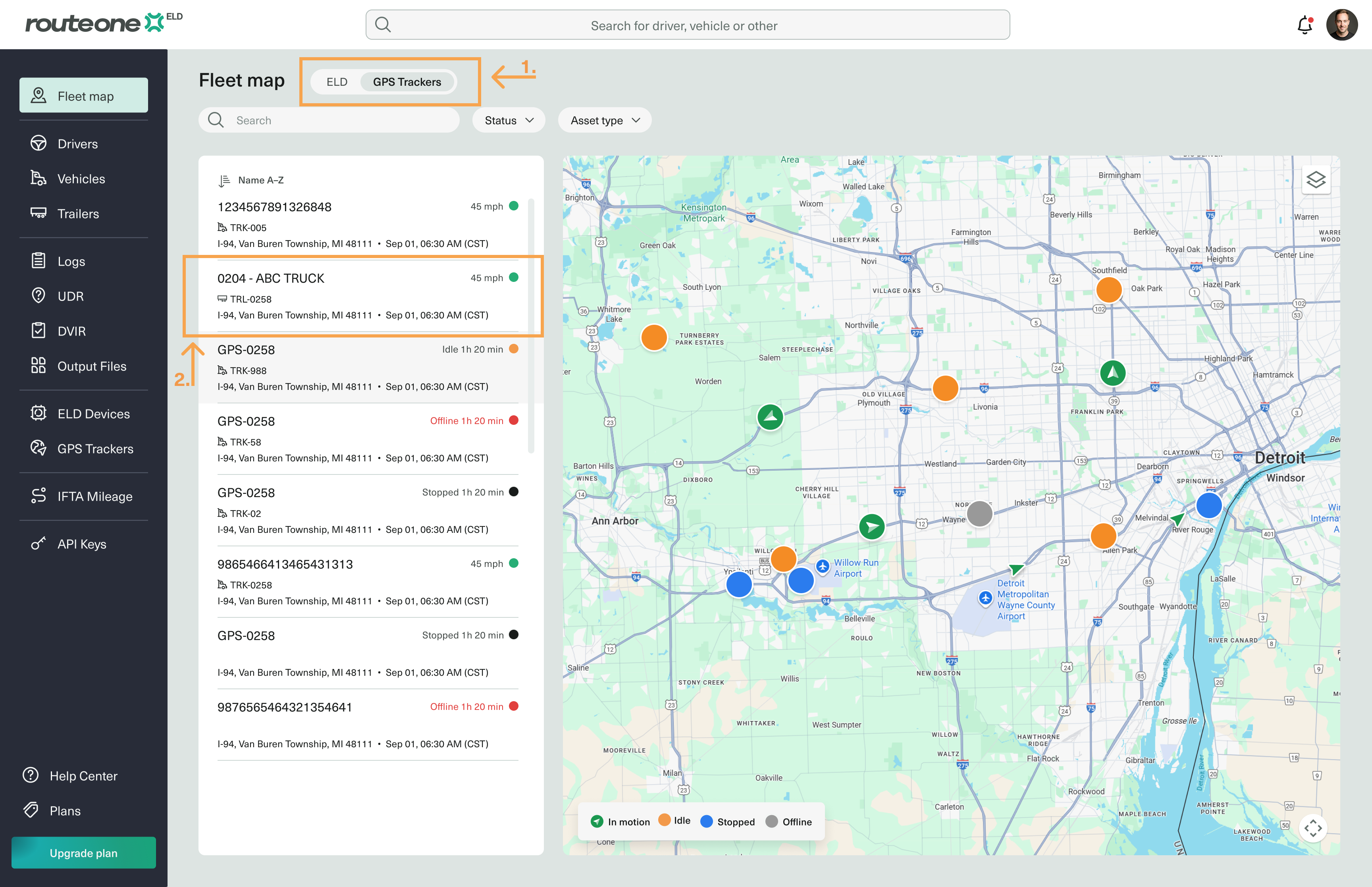
On the Fleet Map, select ELD or GPS Trackers, depending on which assigned device you want to share.
Alternatively, navigate to the specific device from its list page in the sidebar menu (for example, GPS Trackers).
Select the asset.
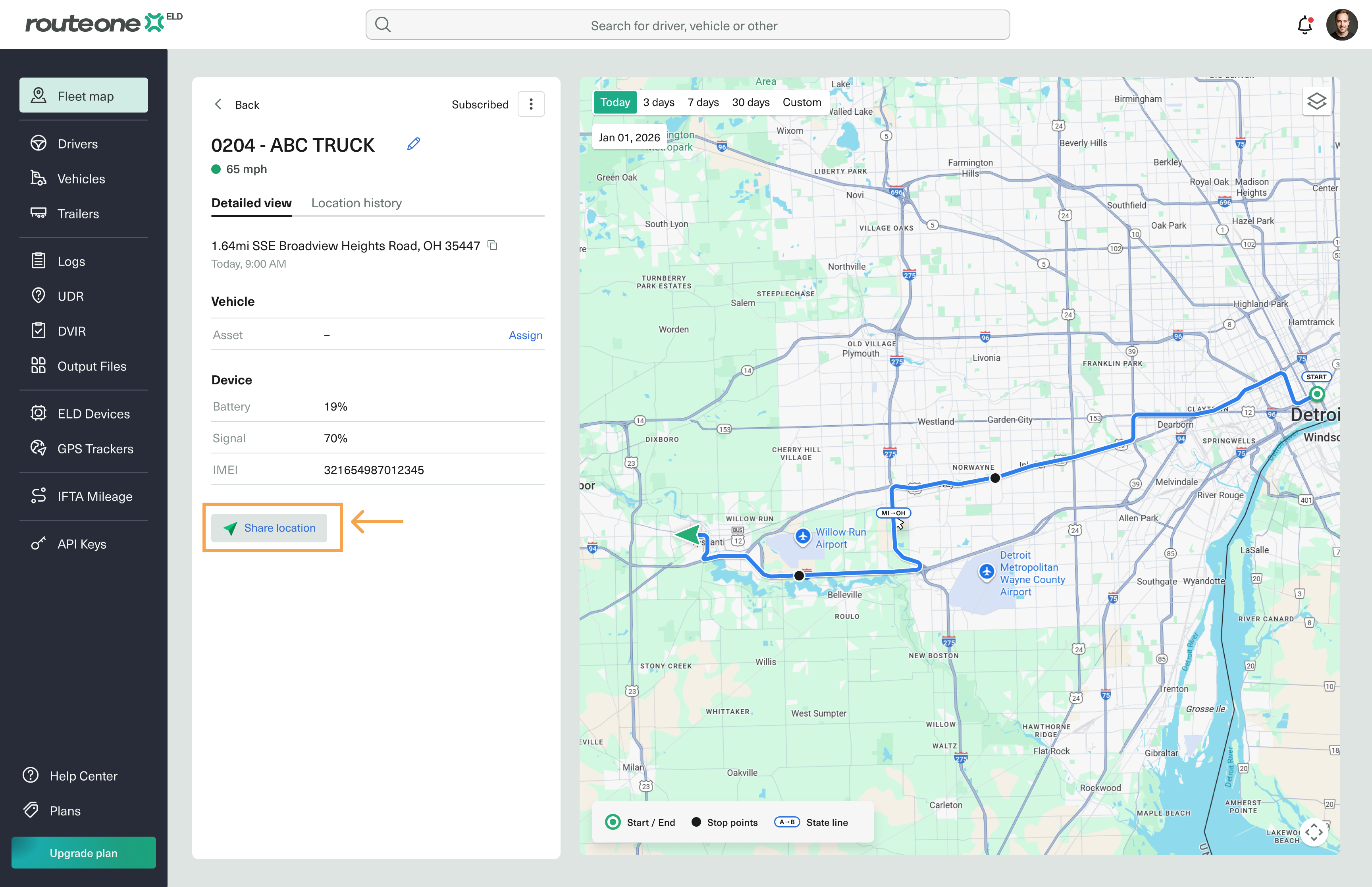
Click Share Location.
In the modal that opens, fill in the following:
Load number
Pickup and delivery location (optional)
The duration the link stays available
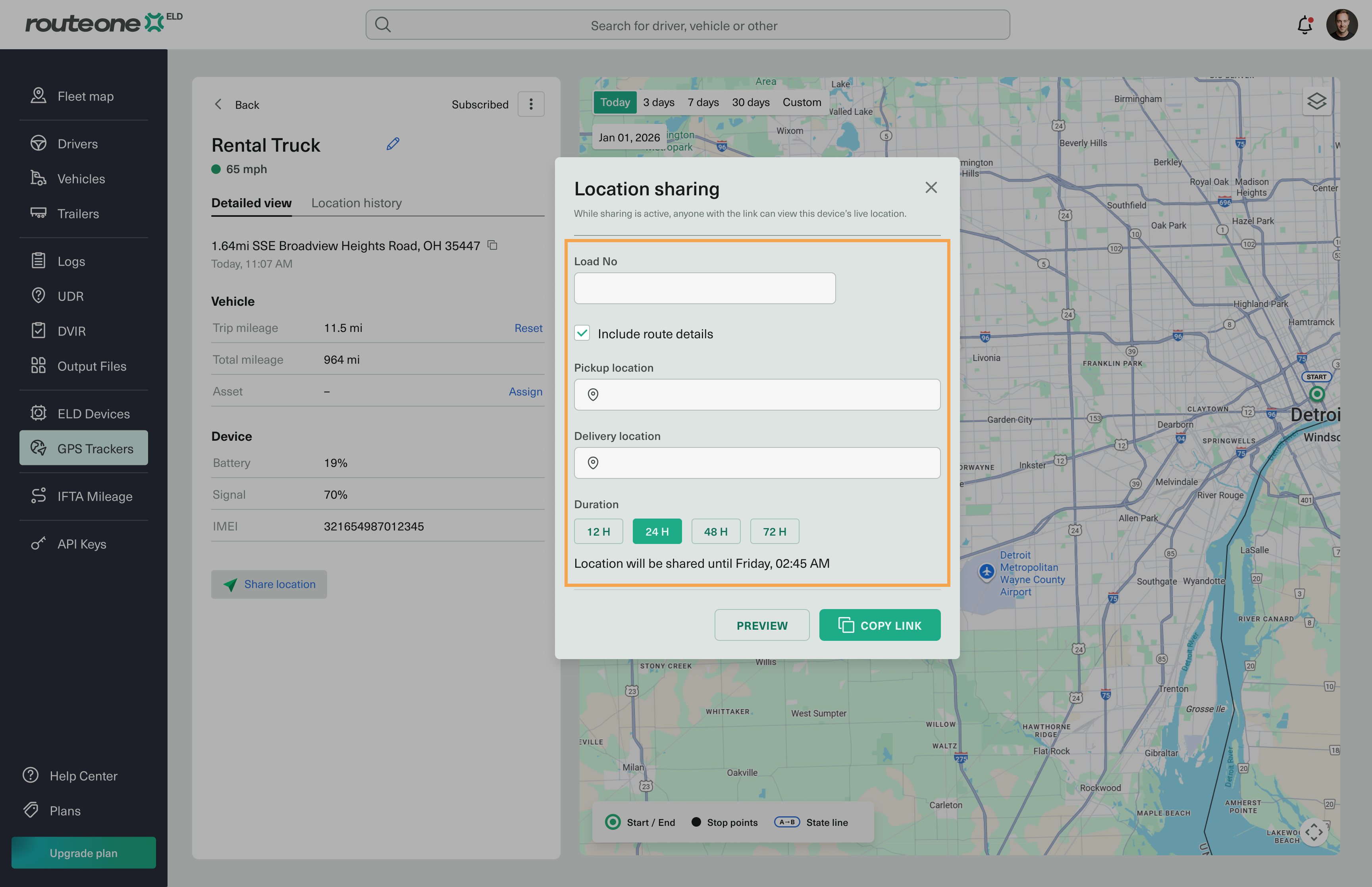
Click Copy Link.
The private link is created and copied to your clipboard, ready to share.
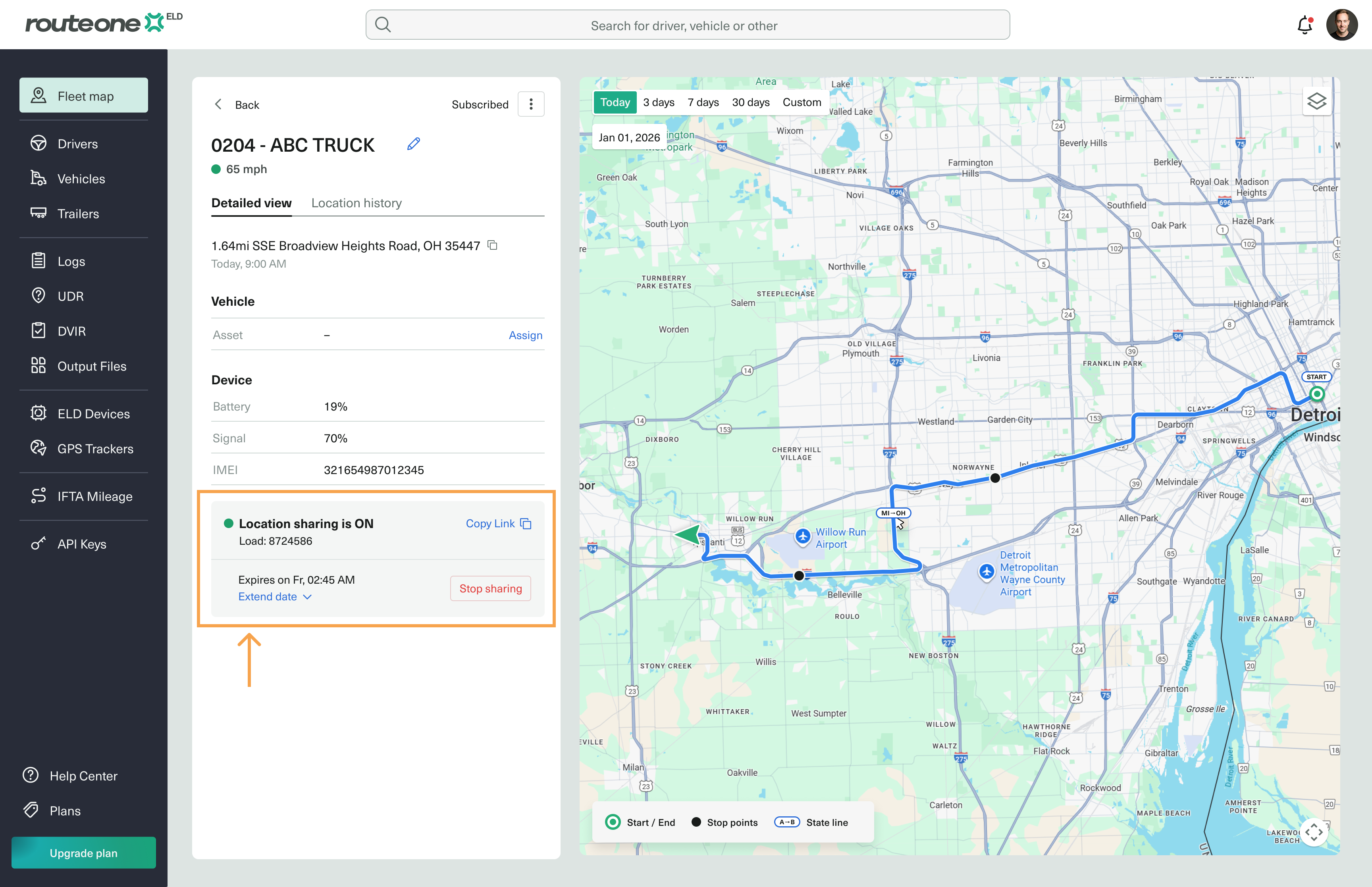
Manage a shared link
You can extend the duration of an active link or disable it at any time.